Orynt Loading Screen
First impressions, done right.
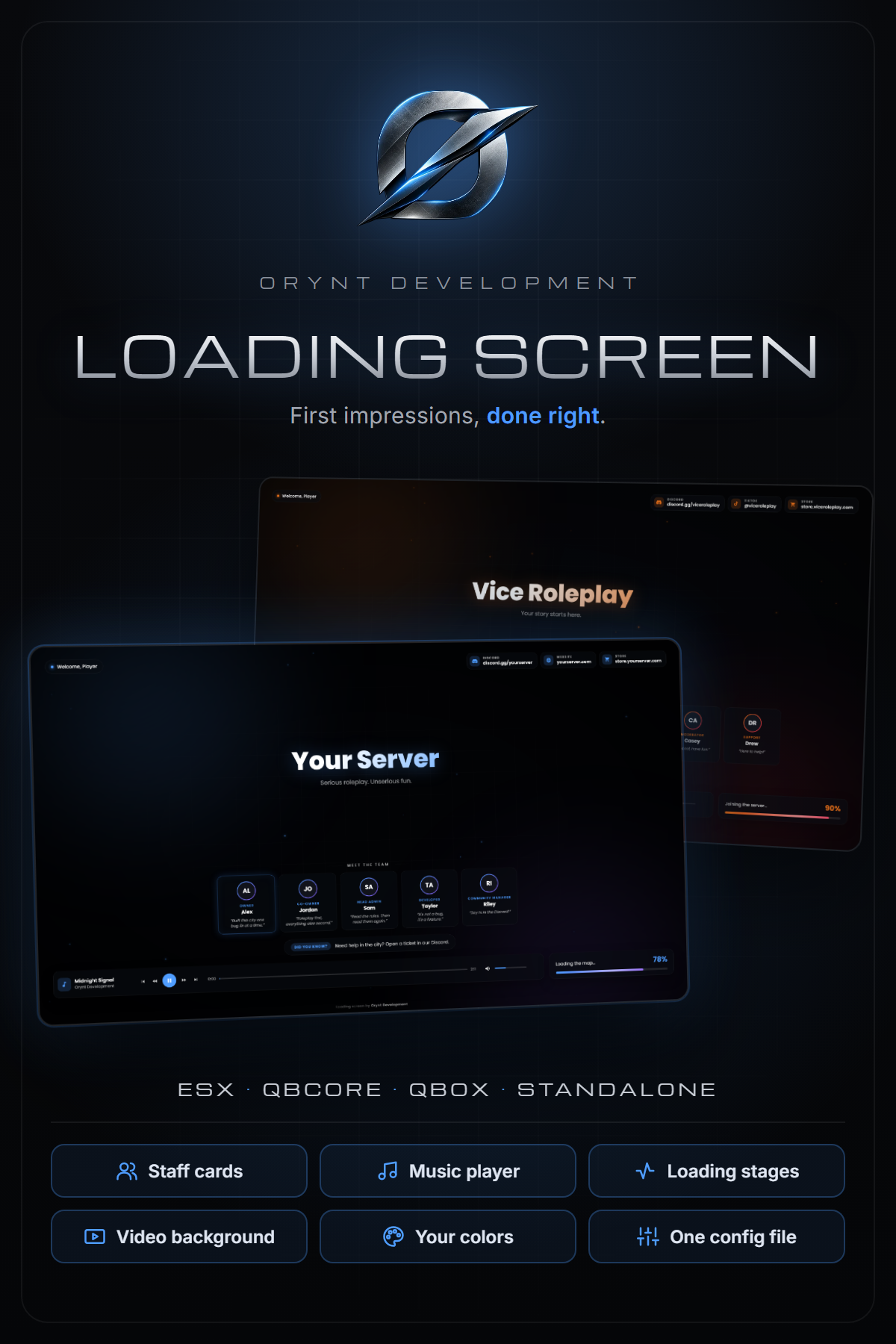
The loading screen is the first thing every player sees. Make it look like your server: your name or logo, your team, your colors, your music, and a loading bar that actually tells players what's happening. Everything is set in one config file, no coding needed.
━━━━━━━━━━━━━━━━━━━━
FEATURES
━━━━━━━━━━━━━━━━━━━━
• Your branding: server name or logo, tagline, accent colors, font and corner rounding
• "Welcome, {name}" greeting with the joining player's name
• Staff cards: 1 to 8 team members with picture (or initials), role, name and quote. Highlight your owner
• Rotating tips: "Did you know?" messages that change every few seconds
• Social links: Discord, website, store, TikTok, YouTube, X and Instagram
• Real loading bar with stages: "Loading game files", "Loading the map", "Joining the server"...
• Music player: playlist, play/pause, previous/next, rewind/fast-forward, seek bar, volume and mute, plus keyboard shortcuts. Each player's volume is remembered
• Backgrounds: mp4 video (local or hosted on FiveManage etc.), image, or the built-in animated background (no files needed)
• Includes an original royalty-free music track, so it works out of the box
• Fully translatable: every word on screen is in the config
• Scales to every resolution, from 1080p to 4K
• Browser preview: open the HTML file to see your changes without joining the server
━━━━━━━━━━━━━━━━━━━━
REQUIREMENTS
━━━━━━━━━━━━━━━━━━━━
None. Works on ESX, QBCore, Qbox, standalone and any other setup.
━━━━━━━━━━━━━━━━━━━━
WHAT'S INCLUDED
━━━━━━━━━━━━━━━━━━━━
• The orynt_loading resource
• Original music track "Midnight Signal" (free to use on your server)
• Full documentation (README): installation, every config option, adding your own media, troubleshooting
━━━━━━━━━━━━━━━━━━━━
INFO
━━━━━━━━━━━━━━━━━━━━
• 100% free and open: no escrow, every file is readable and editable
• Set everything up in one file: html/config.js
• Support: [Orynt Development]
By Orynt Development
Orynt Chat
A clean chat that never gets stuck.
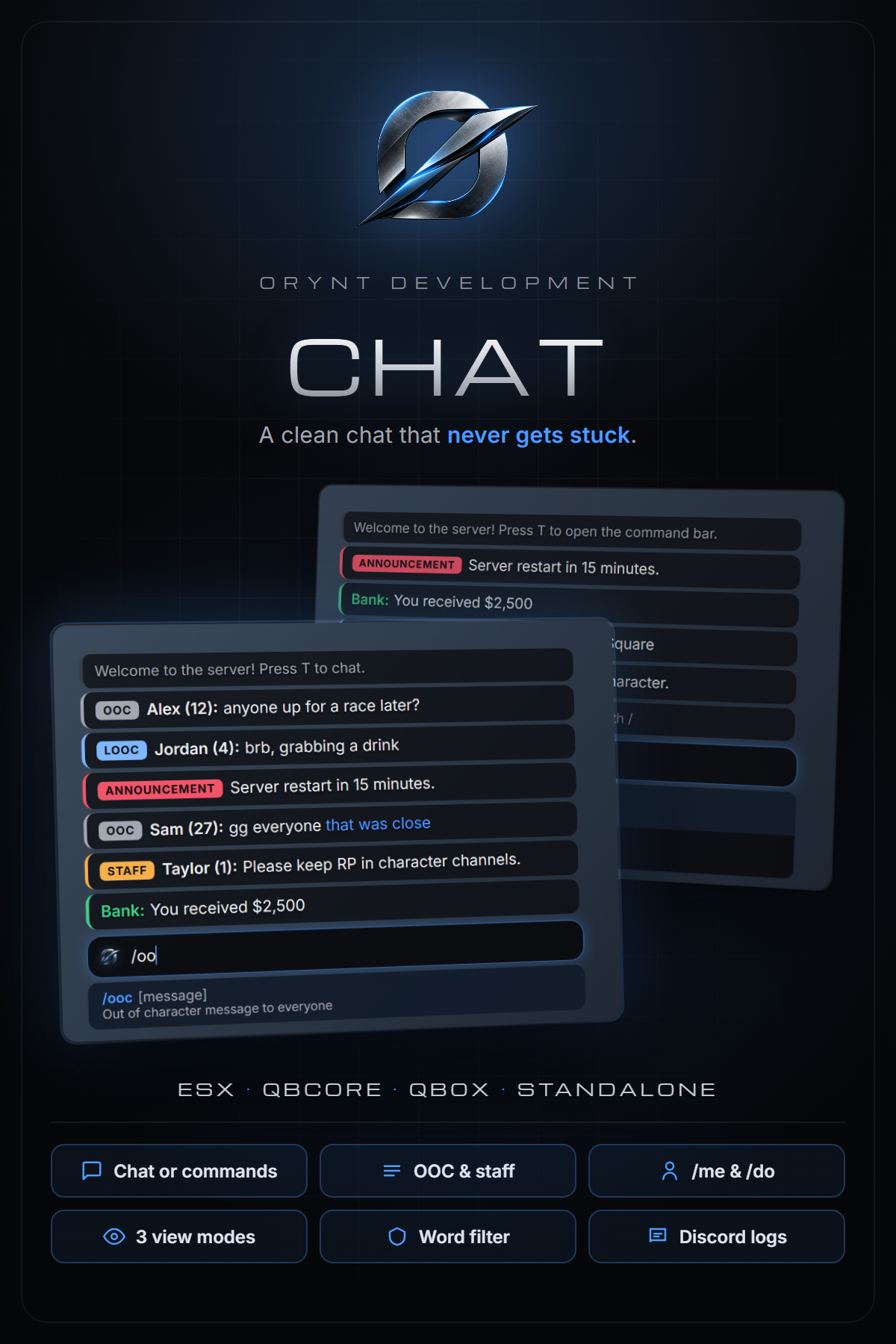
A modern replacement for the default FiveM chat. Run it as a normal chat box, or switch it to a command-only bar for serious roleplay servers with one setting. OOC, local OOC and staff channels, /me and /do above heads, three view modes for players, and a fix for the classic problem of players getting locked after tabbing out with the chat open. Every script that sends messages to the default chat keeps working.
━━━━━━━━━━━━━━━━━━━━
FEATURES
━━━━━━━━━━━━━━━━━━━━
• Chat box or command-only: one setting. As a chat box, typed text is sent as an OOC message. Command-only, the bar only runs /commands
• Chat channels: /ooc, /looc (nearby only), staff-only /announce and /staff. Add your own with any tag, color, range and staff lock
• /me and /do shown above the player's head to people nearby
• Turn any command off with one setting. /ooc and /looc switch off automatically on command-only servers
• Never gets stuck: tabbing out while the chat is open no longer locks players. The chat takes its focus back, or closes cleanly so it can be opened again
• Three view modes on the L key: Visible, Visible when active, Hidden. Saved per player, and T always opens the chat
• Command suggestions with help text for every command the player can use, updated live
• Message history, Tab to complete a command, Page Up / Down to scroll
• Character names (ESX, QBCore, Qbox) or FiveM names, with or without server id
• Anti-spam cooldowns and a word filter
• Fully compatible with the default chat: chat:addMessage, chatMessage, suggestions, templates, ^1 color codes and the addMessage export
• Discord logs for chat messages, staff messages and /me /do, with a channel per log type
• Customisable look: position, size, colors, font, input under the chat or as a bar at the top of the screen
• Fully translatable
• Lightweight: nothing runs while the chat is closed
━━━━━━━━━━━━━━━━━━━━
REQUIREMENTS
━━━━━━━━━━━━━━━━━━━━
• None. Replaces the default chat resource
Supported (optional, detected automatically):
• Framework: ESX, QBCore, Qbox (or none). Only used for character names and staff groups; ace permissions work everywhere
• OneSync recommended for ranged channels and /me /do (not required)
━━━━━━━━━━━━━━━━━━━━
WHAT'S INCLUDED
━━━━━━━━━━━━━━━━━━━━
• The orynt_chat resource
• Full documentation (README): installation, commands, view modes, every config option, Discord logs, developer API, translating and troubleshooting
• Every file open and readable, so you can configure, translate and adapt it
━━━━━━━━━━━━━━━━━━━━
INFO
━━━━━━━━━━━━━━━━━━━━
• 100% free and open: no escrow, every file is readable and editable
• Support: [Orynt Development]
By Orynt Development